How to Choose an inateck Barcode Scanner: 2026 Buyer's Guide
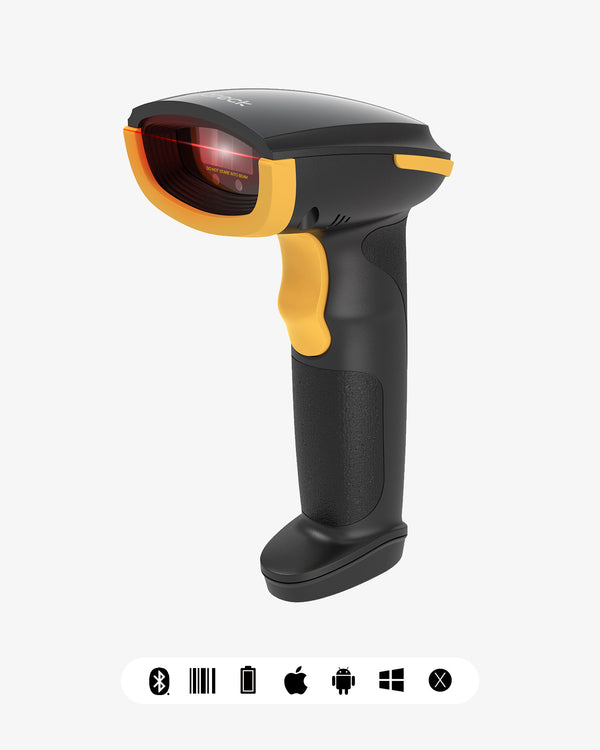
The short answer: Choosing a barcode scanner comes down to four questions — what codes you scan (1D or 2D), whether any of them live on a screen, how far you roam from the computer, and how rough your environment is. For most people in 2026, those answers converge on one pick: a wireless 2D imager around $30, like the Inateck BCST-23 or BCST-35. It reads every 1D and 2D code, scans off phone screens, works 100m from the host, and buffers scans offline. You only need something else in three cases: an extreme budget (wired models from $20), a harsh environment (IP67 industrial models from $130), or a full computer in your hand (an Android PDA at $499). Take the 30-second self-test below to find your scenario, then we'll walk through every spec that matters.
 The 30-second self-test: 5 questions to your shortlist
- Do any of your codes include QR, DataMatrix, or GS1 formats? → If yes: you need a 2D imager.
- Is any barcode displayed on a phone or computer screen? (e-tickets, loyalty codes, pick lists on a tablet) → If yes: 2D imager required — laser scanners can't read screens.
- Do you scan more than a meter from the host computer? → If yes: go wireless (Bluetooth or 2.4G). If no: a wired model saves money.
- Hundreds of scans a day, or exposure to dust, moisture, or drops? → If yes: step up to an IP67 industrial model.
- Do you need to run apps on the device itself — look up stock, enter data, stay online? → If yes: you don't need a scanner; you need an Android PDA.
If you answered yes to question 1 or 2, you're in 2D territory. That's why 2D models have overtaken 1D in sales: a 2D imager reads every 1D code too, the price gap has shrunk to a few dollars, and the only remaining reason to buy 1D is "I will only ever scan paper UPC/EAN labels."
1D vs. 2D: what's the actual difference?
| 1D (linear) | 2D (matrix) | |
|---|---|---|
| Looks like | Vertical bars + digits | Square dot patterns |
| Common types | UPC, EAN, Code 128, Code 39 | QR, DataMatrix, PDF417, GS1 DataMatrix |
| Capacity | A few dozen characters | Thousands of characters — URLs, lot numbers, serials |
| Typical uses | Retail products, books, shipping labels | E-tickets, medical wristbands, traceability labels, on-screen codes |
The key judgment: look at what you scan today — and what you'll scan next year. Retail UPC/EAN codes are 1D, but the moment your business touches mobile loyalty codes, payment QR codes, GS1 traceability labels, healthcare, or ticketing, you're in 2D land. A 2D imager handles 1D effortlessly; the reverse is impossible. Defaulting to 2D is almost never wrong.
 Laser, CCD, or imager: which scan engine?
The scanner's "eye" determines what it can read and in what conditions:
| Engine | Reads | Can't read | Strengths |
|---|---|---|---|
| Laser | Paper 1D | All 2D, all screens | Best tolerance for damaged, dirty, wrinkled 1D codes; strong at long-range 1D |
| CCD | Paper 1D | 2D, screens (mostly) | Simple, durable, close-range contact scanning |
| 2D imager (CMOS camera) | 1D + 2D + screens | Extreme cases like inverted DataMatrix | The all-rounder; steady in low light and against bright screens; the mainstream choice in 2026 |
Bottom line: unless your warehouse will forever be paper 1D labels in high volume — where a laser's damaged-code tolerance still shines (e.g., the Inateck BCST-21 or P6-AI) — go with a 2D imager. Note that imagers vary in resolution: a 300K-pixel entry module (like the Inateck BCST-23) handles everyday codes fine, while a megapixel module (like the Inateck Pro 170B) copes better with tiny, dense, low-contrast codes.
Wired, Bluetooth, or 2.4G: choosing connectivity
| Connection | Range | Pairing | Best for |
|---|---|---|---|
| USB wired | Cable length (~1.5–2m) | Plug and play, no driver | Checkout counters, fixed stations, extreme budgets ($20–30) |
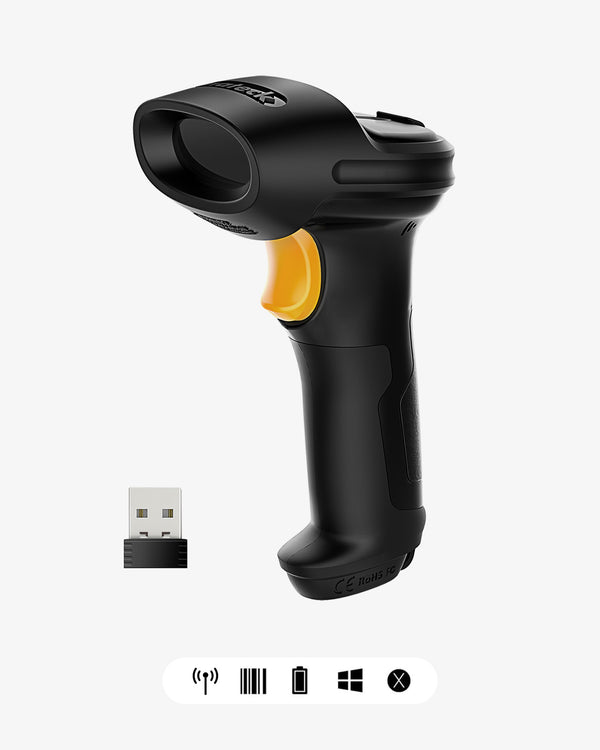
| 2.4G wireless dongle | 30–100m (open field) | Plug in the dongle, no pairing | Warehouses: computer stays put, people move |
| Bluetooth | 10–40m | Requires pairing; connects to phones/tablets | Mobile work, iPad POS, inventory counts |
Three things buyers often miss:
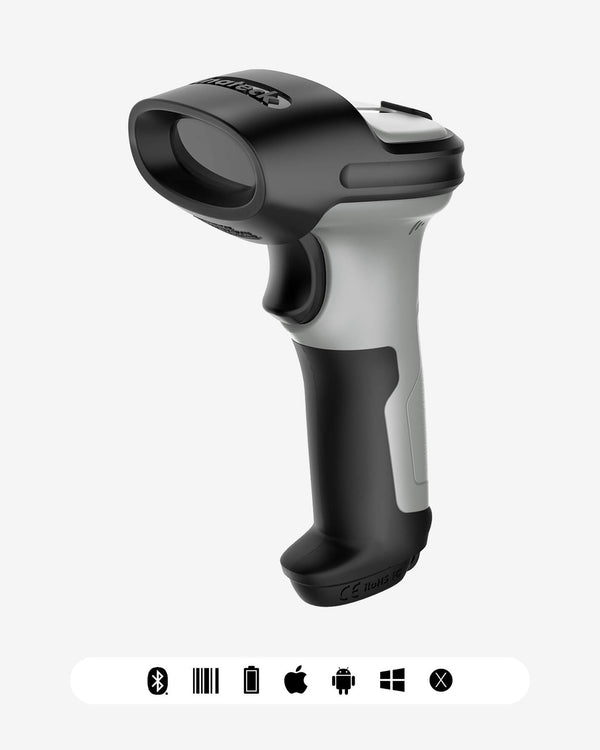
- Many models are tri-mode (USB + 2.4G + Bluetooth — e.g., the Inateck BCST-23, BCST-35, and BCST-75S). One purchase covers all three scenarios for a minimal price difference; prefer tri-mode.
- Rated range is open-field. Walls and metal shelving cut it down. Large warehouses should insist on the 100m class (Inateck BCST-23/35/55, BCST-21, BCST-75S/75X); a small shop is fine with 30–40m.
- Offline buffering is a must for counting. Scans taken in dead zones are stored on the scanner and batch-uploaded when you're back in range. Mainstream models carry 4MB of buffer (tens of thousands of barcodes) — just confirm the feature before buying.
- Only Bluetooth connects to phones and tablets. Running Square or Shopify POS on an iPad? Bluetooth is mandatory.
Durability: when is IP67 worth the extra money?
Regular store or office? Skip the ingress rating — standard models are fine.
Go straight to an industrial model (the Inateck BCST-75S or BCST-75X, both IP67) if any of these apply:
- Cold storage, outdoor receiving, dusty workshops — IP67 means fully dust-tight and survives brief immersion in water
- High shelving or loading docks — industrial housings are built for repeated drops
- Shared devices, rough handling, three-shift operation — industrial triggers and shells simply last longer
The math is simple: replacing a $49.99 standard scanner twice a year costs more than one $129.99 industrial unit.
 Special form factors: wearable, PDA, and RFID
Beyond the classic handheld, three form factors serve three specific jobs:
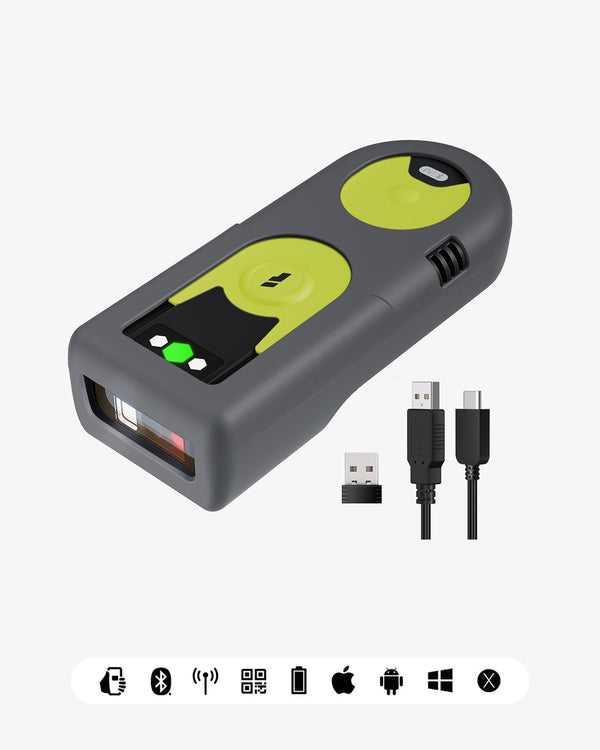
- Wearable (Inateck Nano 370, $89.99): for picking and packing lines where both hands carry goods. The hard limit is its 10m range — great for a fixed station or cart, wrong for roaming a big warehouse.
- Android PDA (Inateck AS501S, $499): scanner + touchscreen + Android 12 + connectivity in one device, running your inventory apps, lookups, and data entry directly. It's for "the system goes wherever the worker goes" — warehouse management, cycle counting, inspections. It's a mobile computer, not a scanner replacement.
- RFID combo (Inateck BCST-75X, $129.99): reads barcodes and RFID tags. RFID needs no line-of-sight and can read whole batches at once, and US retail supply chains (Walmart's supplier program among them) are pushing RFID tagging hard. If you supply those programs, buy once and be done; if RFID isn't on your roadmap, a regular 2D model is enough.
Budget picks (US prices, November 2026)
| Budget | Model | What you get | Price |
|---|---|---|---|
| Under $20 | Inateck BCST-53 (wired 2D) | Plug-and-play corded 2D with GS1 support — the lowest-cost fixed-station option | $19.99 |
| $25–30 | Inateck BCST-23 (Hyper 160) | Tri-mode wireless 2D, 2600mAh, 100m range, reads screens — this guide's default answer | $29.99 |
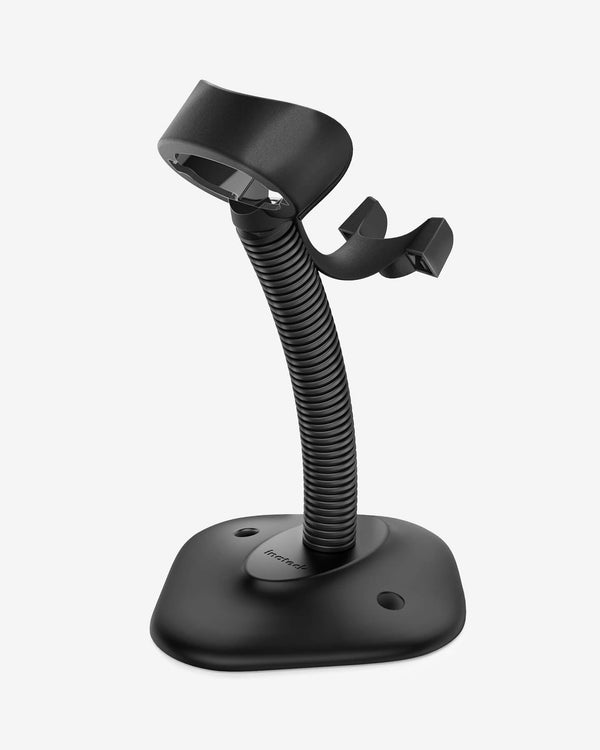
| $25–30 | Inateck BCST-35 | Same class as the BCST-23, plus an adjustable stand for hands-free presentation scanning | $29.99 |
| $28 | Inateck BCST-21 | Laser 1D, 100m range, 2000mAh — only for "paper 1D forever" scenarios | $27.99 |
| $55–70 | Inateck Nano 460 / BCST-42 | Pocket-portable, Bluetooth direct to phone/tablet, the walk-around pick | $54.99 / $69.99 |
| $80–100 | Inateck BCST-72 / Pro 8 | Step-up decoding: the BCST-72 is the crowd favorite (83 reviews); the Pro 8 runs a CMOS+CCD dual module | $89.99 |
| $130 | Inateck BCST-75S | IP67 industrial 2D for cold, dust, and drops | $129.99 |
| $130 | Inateck BCST-75X | Everything the 75S has, plus RFID batch reading | $129.99 |
| $499 | Inateck AS501S | Android 12 PDA handheld — scanner plus a full mobile computer | $499.00 |
A few honest buying notes:
- The BCST-21 is a 1D laser scanner — it reads no QR codes and nothing on screens. Confirm your codes are paper 1D forever before choosing it.
- The Nano 370 wearable has a 10m range — don't buy it for wide-area warehouse counting.
- Entry-level 2D modules (300K-pixel class) handle everyday barcodes with ease, but if your labels are tiny printed codes on electronic components, consider a megapixel model.
- For any wireless model, confirm offline buffering (all models above have it) so dead zones never cost you data.
Why Inateck?
A scanner is a tool you'll use thousands of times a week — what matters beyond the spec sheet is everything around it:
- App & SDK support on most models: configure your Inateck scanner from the Inateck app — symbology settings, Bluetooth management, battery level, alerts — without hunting for the manual. Developers get an SDK to integrate scanning into their own software.
- Inateck AI-assisted setup: on AI-enabled models, tell Inateck AI what you need and configure the scanner in plain language instead of working through setup barcodes.
- Tri-mode connectivity as standard: USB, 2.4G, and Bluetooth on mainstream models — one scanner, every workflow.
- Optional extended warranty: 6-month extended coverage available for most scanner lines.
- A full accessory ecosystem: stands, charging cradles, dongles, and cables, so a growing setup stays compatible.

FAQ
1. Should I buy a 1D or 2D barcode scanner in 2026? Default to 2D. The price gap is a few dollars, 2D imagers read every 1D code as well, and they add screen scanning. Only consider a 1D laser if you're certain you'll only ever scan paper UPC/EAN labels.
2. What's the difference between Bluetooth and a 2.4G dongle? A 2.4G dongle works the moment you plug it in — no pairing, longer range (up to 100m) — but only talks to the computer it's plugged into. Bluetooth requires pairing and tops out around 10–40m, but connects to phones, tablets, and iPad POS systems. Tri-mode models include both and are the safe choice.
3. Can my phone camera replace a barcode scanner? For occasional scans, yes. For daily work, no. A dedicated scanner wins decisively on decode speed, low-light performance, damaged-code tolerance, and battery life — a $30 entry model pays for itself in the first heavy session.
4. Do barcode scanners need drivers or special software? No. A scanner presents itself to the system as a keyboard — whatever it scans, it types. Excel, Google Sheets, Shopify admin, and POS systems all work out of the box. Advanced setup (prefixes/suffixes, line feeds, muting the beeper) is done via setup barcodes in the manual or the Inateck app.
5. What happens to a wireless scanner in areas with no signal? Choose a model with offline buffering (inventory/buffer mode). Scans are stored in onboard memory (4MB is mainstream — tens of thousands of codes) and batch-uploaded when you're back near the host. Nothing gets lost.
6. What does IP67 mean, and do I need it? An industrial ingress-protection rating: fully dust-tight, and survives brief immersion in up to 1m of water. Worth the roughly $80 premium for cold storage, outdoor work, dusty floors, and drop-prone environments. Unnecessary for ordinary shops and offices.
7. What's different about healthcare scanning? Beyond a 2D imager (charts, wristbands, and medication labels are mostly 2D or very small codes), the housing should tolerate disinfectant wipes. Healthcare-positioned models like the Inateck BCST-73 are built with that in mind.
8. I'm an Amazon/FBA seller — what should I buy? A $30 tri-mode wireless 2D scanner (Inateck BCST-23 or BCST-35) covers label verification, inbound counts, and returns processing. If you need to verify GS1 code compliance, the corded Inateck BCST-53 ($19.99) supports GS1 natively.
Last updated: November 2026. Prices and models reflect the current Inateck US lineup at publication.